
Retargeting Pixels
Install a retargeting pixel to build a custom audience of past site visitors you can target with retargeting campaigns.
Last updated September 1, 2026
Watch
Create a Retargeting Pixel
Set up a retargeting pixel to start building a custom audience of past visitors for your retargeting campaigns.
What a Retargeting Pixel Does
A retargeting pixel is a small piece of code that recognizes and remembers users who visit your website. Each time someone loads a page with the pixel installed, Topple records the visit. Over time, this builds a custom audience of past visitors that you can target with retargeting campaigns.
Pixel Type: No Value
A retargeting pixel is created as a No Value conversion tracking pixel. Its purpose is not to record revenue — it is to record site visits so Topple can build your retargeting audience.
Where to Install It
Install the retargeting pixel on every page of your website except the post-conversion thank-you page. Installing it on every page ensures Topple captures all visitors, regardless of which page they land on. Do not install it on the thank-you page — you want to exclude users who have already converted from your retargeting audience (or handle them separately with the blocking converted users feature).
How to Create a Retargeting Pixel
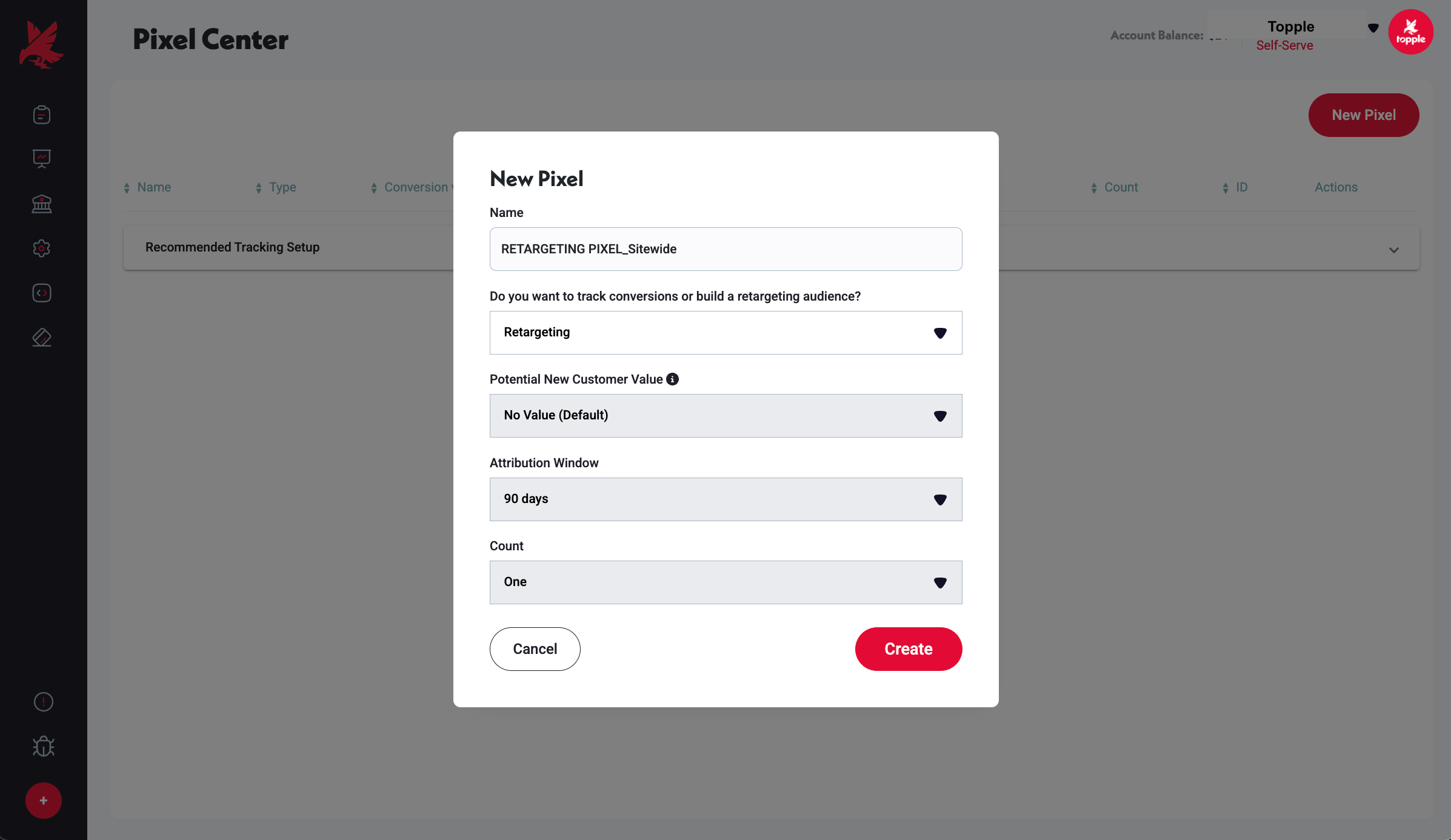
- 1Go to Pixel Center in your Topple account.
- 2Click New Pixel.
- 3Select Retargeting as the pixel type.
- 4Set Potential New Customer Value to No Value (Default).
- 5Name it clearly — for example, 'Site Visitors - Retargeting'.
- 6Copy the generated pixel code.
- 7Paste it into the <head> of every page on your site (except the thank-you page).
Common Mistakes
- 1Installing the pixel only on the homepage instead of site-wide — a visitor who lands on a product page or blog post and never visits the homepage will not be added to your retargeting audience. The pixel must be present on every page (except the thank-you page) so that all entry points are captured.
- 2Expecting a usable retargeting audience the same day the pixel goes live — it takes several days to build a meaningful audience. If you create the pixel and immediately set up a retargeting campaign, it will likely show limited or no delivery because the audience is too small. Allow time for traffic to accumulate before launching.
- 3Confusing the retargeting pixel with the conversion pixel — they are both created as No Value tags, but they serve different purposes and are installed on different pages. The retargeting pixel goes on every page except the thank-you page (to build an audience of visitors). The conversion pixel goes only on the thank-you page (to record completed purchases). Mixing them up corrupts both datasets.
Was this helpful?