
Where to Find Conversion Data
How to locate conversion counts and values in the Statistics Graph and Campaign Chart on your Topple dashboard.
Last updated September 1, 2026
Watch
Where to Find Conversion Data
Locate conversion counts and values in the Campaign Chart and Statistics Graph on your dashboard.
Enabling Conversion Columns in the Campaign Table
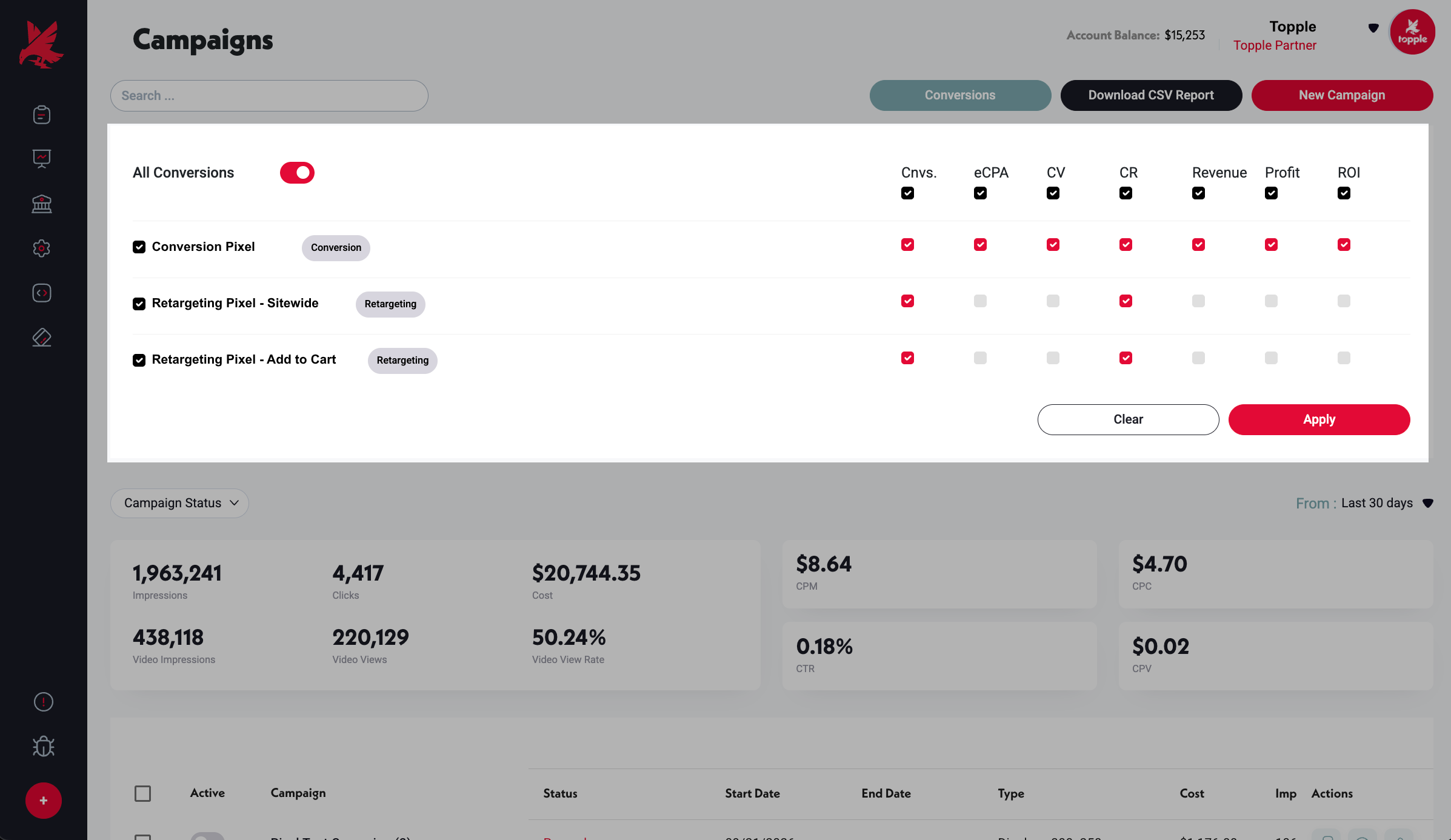
On the Campaigns page, open the Conversions panel to choose which conversion columns appear in the Campaign Chart. Toggle each pixel on or off and select the columns you want to show — Cnvs (conversions), eCPA, CV (conversion value), CR (conversion rate), Revenue, Profit, and ROI.
Viewing Conversion Data in the Campaign Table
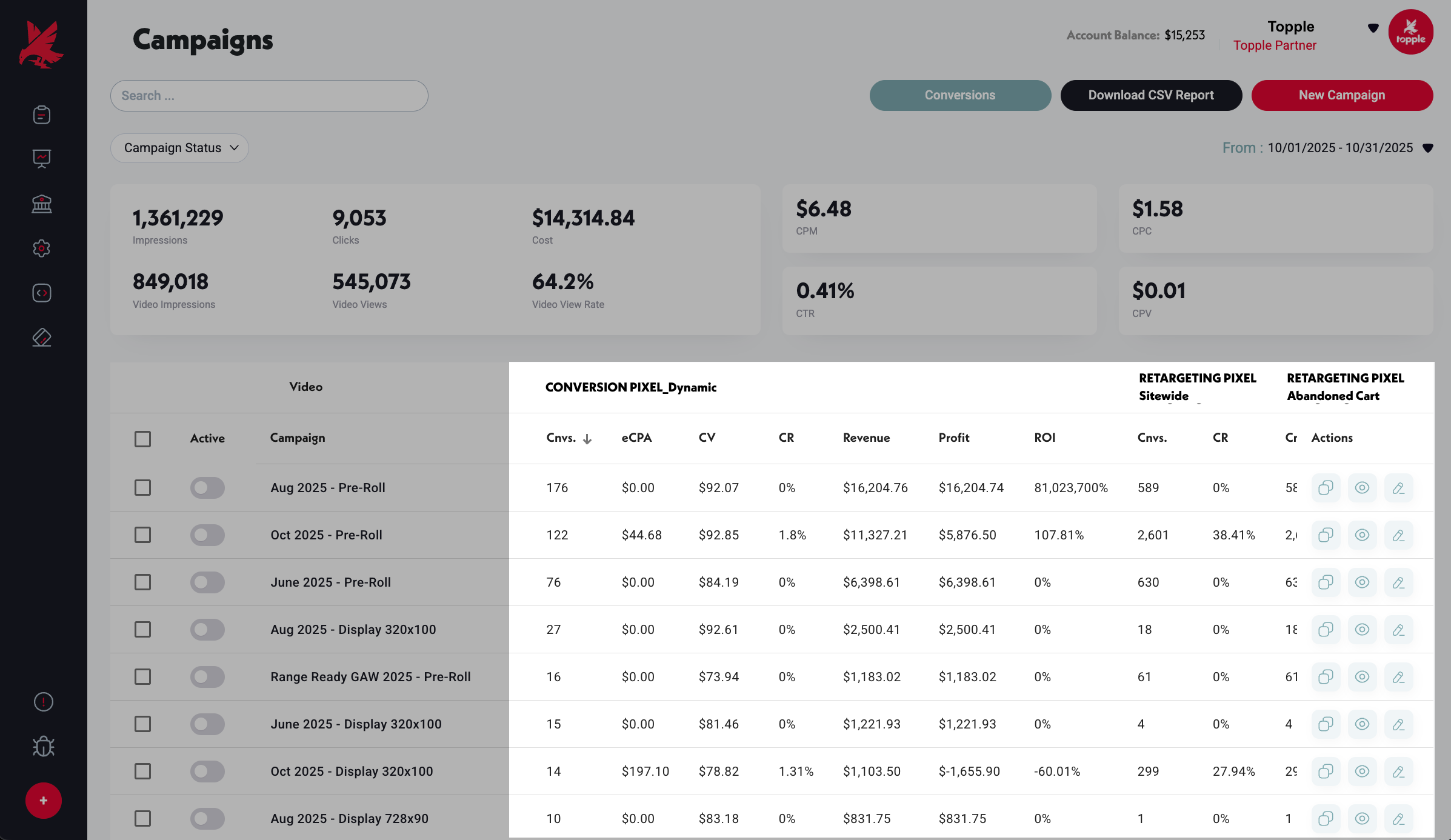
Once conversion columns are enabled, the Campaign Chart shows per-pixel conversion data for each row. Each enabled pixel gets its own set of columns — Conversion pixels and Retargeting pixels both appear. Use the date range selector to narrow or widen the reporting window.
How This Data Is Calculated
The conversion counts and values you see here reflect Topple's attribution methodology and the attribution window and Count setting selected for your account. Changing those settings changes which qualifying conversions and purchases are included in this data — it doesn't change what actually happened on your site.
LEARN HOW TOPPLE ATTRIBUTION WORKS →Not Seeing Conversion Data?
If conversions are not appearing, check that your pixel is installed and firing correctly on the right page. A pixel in the account but not installed on your website will never record a conversion. See the Conversion Tracking article for setup guidance.
Common Mistakes
- 1Looking at the wrong date range — the Statistics Graph and Campaign Chart both respect the date range you have selected. If your date range starts after the conversions occurred, or ends before recent conversions were processed, the counts will appear lower than reality. Broaden the date range to the full campaign lifetime to see all attributed conversions.
- 2Concluding conversions are not tracking when they are just delayed — conversions can take up to 24 hours to appear after they occur. If you made a test purchase within the last day and see no conversion, wait before investigating further.
Was this helpful?