
Conversion Goals & Tags
Understand the three conversion tag types — No Value, Fixed Value, and Dynamic Value — and when to use each.
Last updated September 1, 2026
Watch
Create a Conversion Pixel
Walk through creating a new conversion goal and pixel in Topple, ready to install on your site.
No Value
The No Value tag records that a conversion happened, without attaching a monetary amount. Use it for actions where the value is not measurable in dollars — newsletter signups, account registrations, lead form submissions, or any event where you just want to count completions. No Value is also the tag type used for retargeting pixels.
Fixed Value
The Fixed Value tag counts each conversion as the same dollar amount — for example, your average order value. Every time the tag fires, Topple records a conversion worth that fixed amount. Install it only on your thank-you page or order confirmation page. This is a good option if your product has a consistent price and you want revenue-based reporting without dynamic data integration.
Dynamic Value
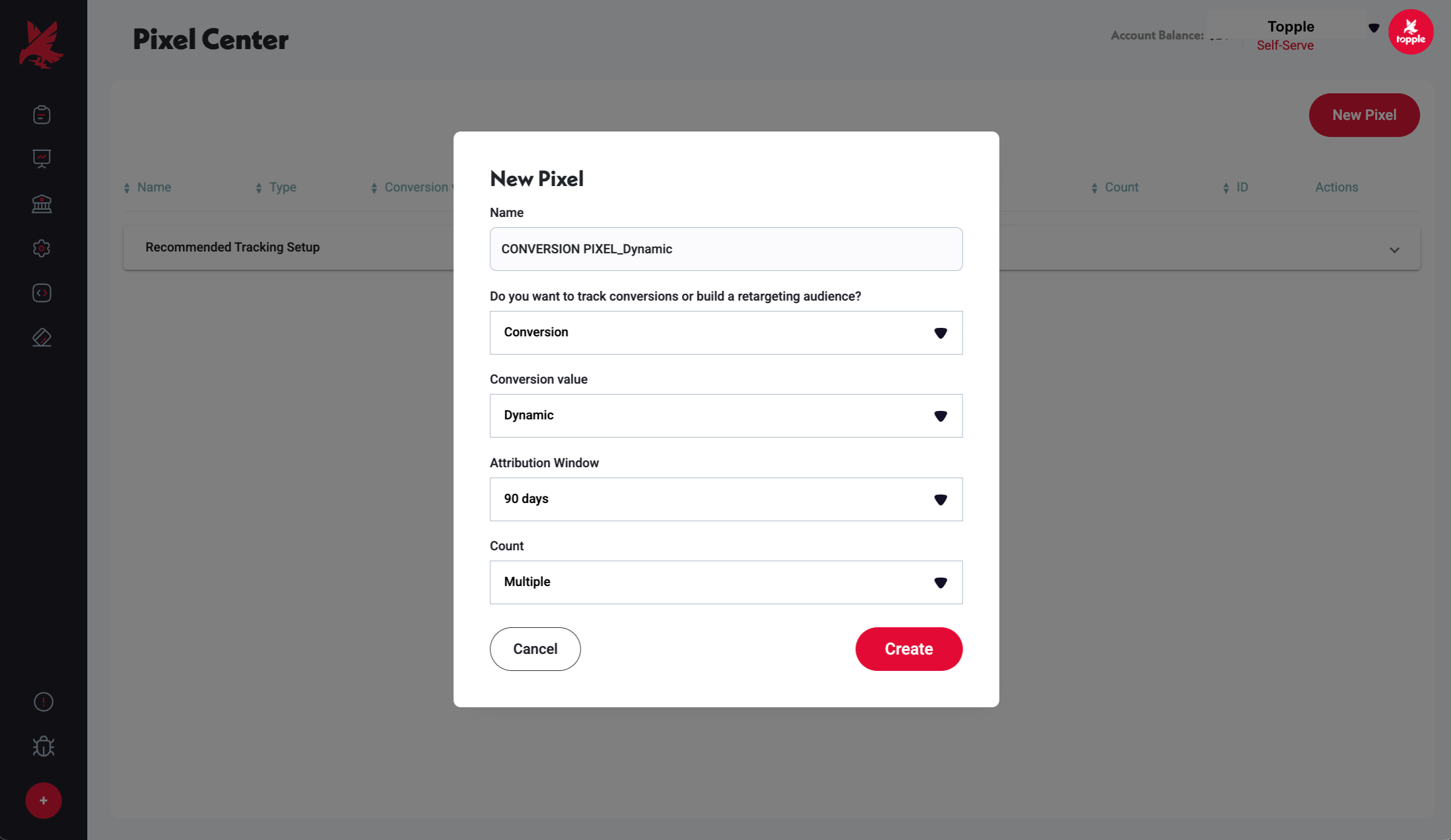
The Dynamic Value tag passes the actual transaction value back to Topple each time it fires. Instead of a fixed amount, it reads the real order total from a variable in your page's code and sends that number to Topple. This is the most precise option and powers accurate revenue, profit, and ROI reporting. It requires your page to populate a data-value or conversion_value parameter with the real order amount.
<!-- Illustrative example — confirm exact syntax with Topple support -->n<script>n topple_track({n event: 'purchase',n conversion_value: ORDER_TOTAL_VARIABLEn });n</script>Which Tag Type Should I Use?
No Value is the simplest option for non-revenue conversions. Fixed Value is a good middle ground for e-commerce with a consistent price point. Dynamic Value is the right choice when you want to report on actual revenue and ROI from Topple campaigns — it requires more implementation effort but gives you the most actionable data.
Common Mistakes
- 1Using Fixed Value when order amounts actually vary — if your products have different prices and you set a Fixed Value of $50, every conversion will be recorded as $50 regardless of what the user actually paid. Over time, this produces inaccurate revenue totals in your reporting. Use Dynamic Value if your order amounts vary.
- 2Using Dynamic Value without confirming the page populates the variable — if the ORDER_TOTAL_VARIABLE (or equivalent) in your tag code is not actually populated with a real number on your confirmation page, the tag fires with no value, and Topple records a conversion with $0 revenue. Always verify the variable has a real value during a test purchase before launching.
Was this helpful?