
Device Targeting
Target specific device types (iPhone, Android, Mac, Windows, tablet) when your offer is platform-specific — or leave device targeting unselected to reach all devices.
Last updated September 1, 2026
What Is Device Targeting
Device targeting narrows your campaign to users on specific hardware — iPhones, Android phones, Mac computers, Windows PCs, and so on. This is useful when your offer is specifically relevant to one platform. For example, if you just launched an iOS app, you would target iPhone users only to avoid wasting spend on Android users who cannot install it.
How to Set Device Targeting
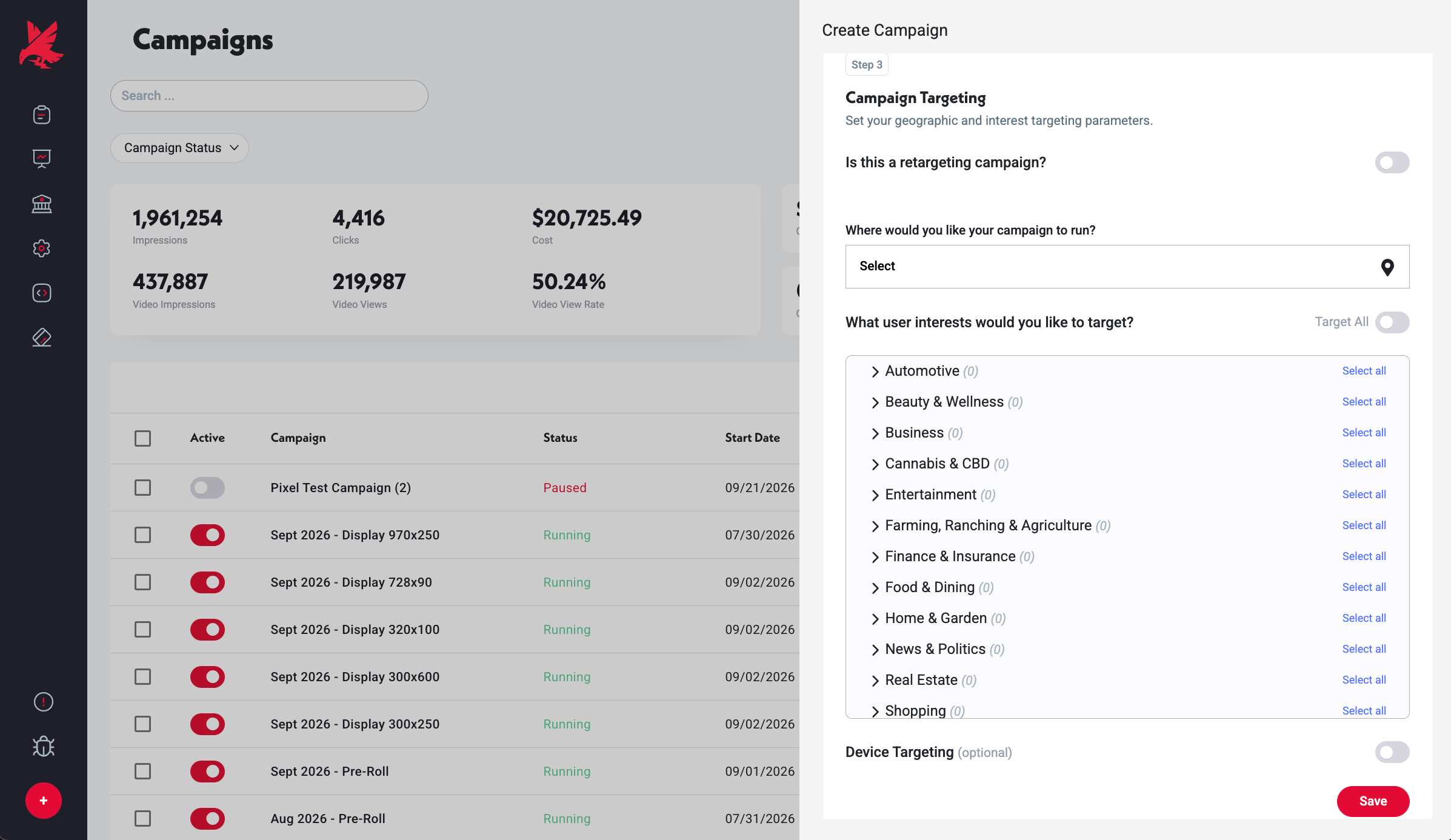
- 1In the campaign editor, go to the Targeting step.
- 2Under Device Targeting, select the device types you want to include.
- 3Leave all unselected to reach users across all devices.
Refining with Reporting Data
The Devices and Operating Systems tabs in your campaign dashboard show which device types and OS versions are delivering the most clicks and conversions. Use this data to add device targeting to future campaigns based on what is actually performing.
Common Mistakes
- 1Targeting a single device type on a new campaign with no delivery history — if you restrict a fresh campaign to, say, iPhone only, and that device has thin inventory in your targeting region, the campaign may under-deliver. Start broad (all devices) on your first campaign, then use Device reporting data to add targeting to subsequent flights.
- 2Assuming device targeting controls carrier targeting — it does not. Device targeting filters by hardware type and operating system. Carrier targeting is a separate dimension visible in the Carriers reporting tab, but is not a targeting option in the campaign editor. If you need to analyze carrier performance, use the Carriers tab in reporting after the fact.
- 3Leaving device targeting unset when promoting a platform-specific product — if your product only works on iOS, leaving device targeting unset means Topple will serve to Android users who cannot use it. Always set device targeting when the offer is platform-locked.
Was this helpful?