
Goal Auto-Optimization
Topple automatically increases your daily budget on high-opportunity days to drive results toward your chosen goal.
Last updated September 1, 2026
What Goal Auto-Optimization Does
When enabled, Goal Auto-Optimization lets Topple automatically increase your Maximum Daily Budget — by up to 30% per day — on days when the platform identifies strong delivery opportunities toward your selected goal. The two available goals are Brand Awareness (optimizes for impressions and reach) and Site Traffic (optimizes for clicks).
How the Budget Increase Works
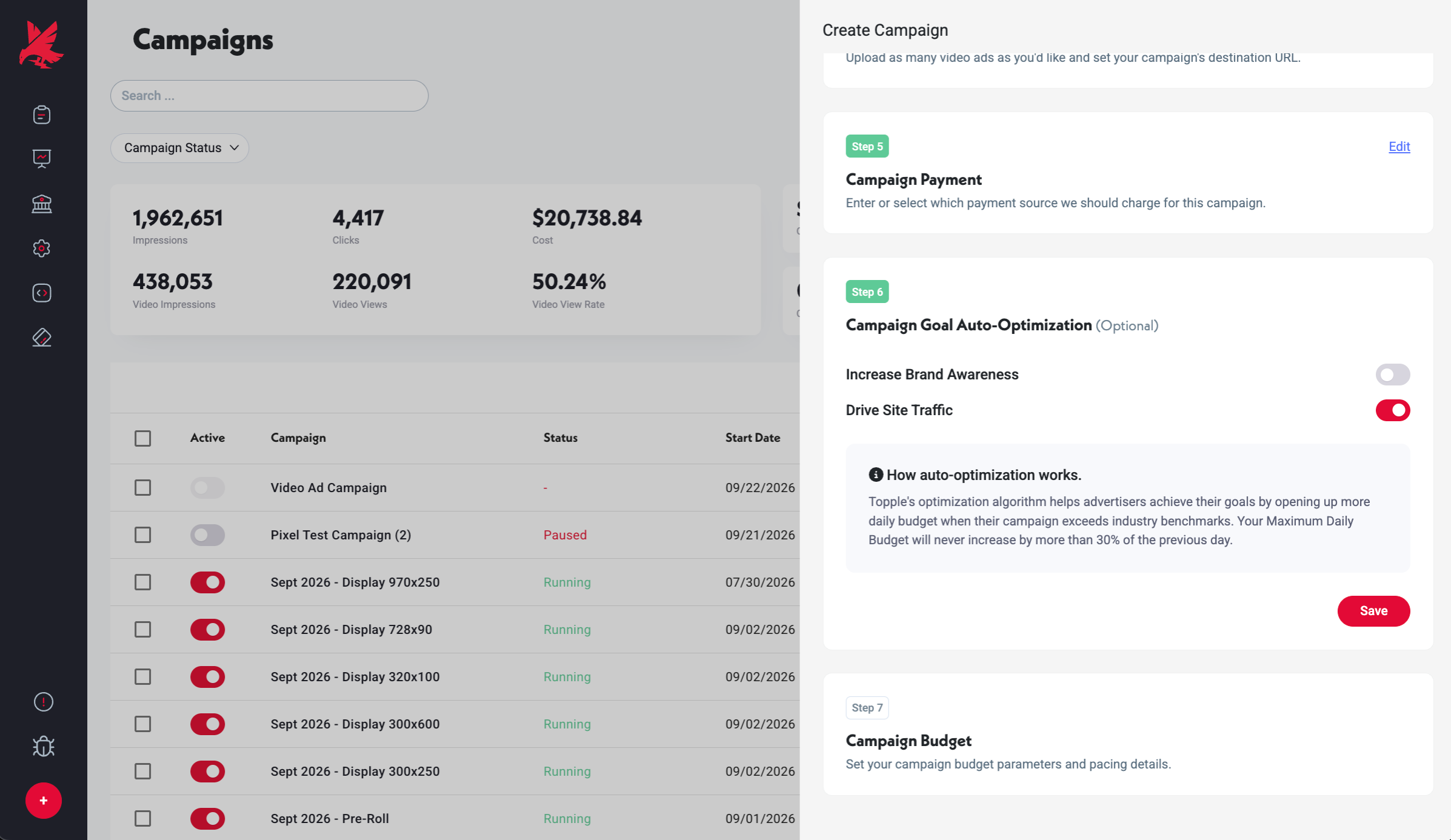
If your Maximum Daily Budget is $100 and Goal Auto-Optimization is on, Topple can increase it up to $130 on a high-opportunity day. This happens automatically. The system does not exceed the 30% ceiling, and the increase applies only on days where its signals indicate above-average opportunity.
Manual Override
You can change or disable Goal Auto-Optimization at any time from the campaign edit screen — open the campaign, go to the Goal Auto-Optimization step, and toggle it off or switch the goal. Changes take effect immediately.
Common Mistakes
- 1Assuming the 30% increase happens every day — it does not. The increase only occurs on days when Topple's signals identify a strong delivery opportunity for your goal. On average days, your campaign spends at or below your stated Maximum Daily Budget. Do not rely on the increase as a planning assumption when forecasting spend.
- 2Treating the 30% ceiling as a guarantee — the system may increase the budget by less than 30% on a given day depending on the actual opportunity detected. The 30% figure is the maximum permitted increase, not a fixed daily uplift.
- 3Not checking which goal is selected — if Goal Auto-Optimization is enabled, confirm whether the goal is set to Brand Awareness or Site Traffic. If you care about clicks but the goal is set to Brand Awareness, the system optimizes for impressions and reach instead, which may reduce click-through rate even as delivery increases.
Was this helpful?