
Interest Targeting
Narrow your campaign to users in specific interest categories — or leave it unselected to run Run-of-Network (full network reach without an interest filter).
Last updated September 1, 2026
What Is Interest Targeting
Interest targeting shows your ads to users who have demonstrated interest in a particular category — for example, sports, travel, automotive, or home improvement. Topple uses behavioral signals to classify users into interest segments, so selecting a category narrows your campaign to users who are more likely to be receptive to your offer.
Interest Targeting vs. Run-of-Network
If you leave interest targeting unselected, your campaign runs across the full network without an interest filter — this is called Run-of-Network. For new campaigns with no historical data, Run-of-Network is often a good starting point. Once you have performance data from the Interest Categories tab in reporting, you can use that to refine your interest targeting in subsequent campaigns.
How to Set Interest Targeting
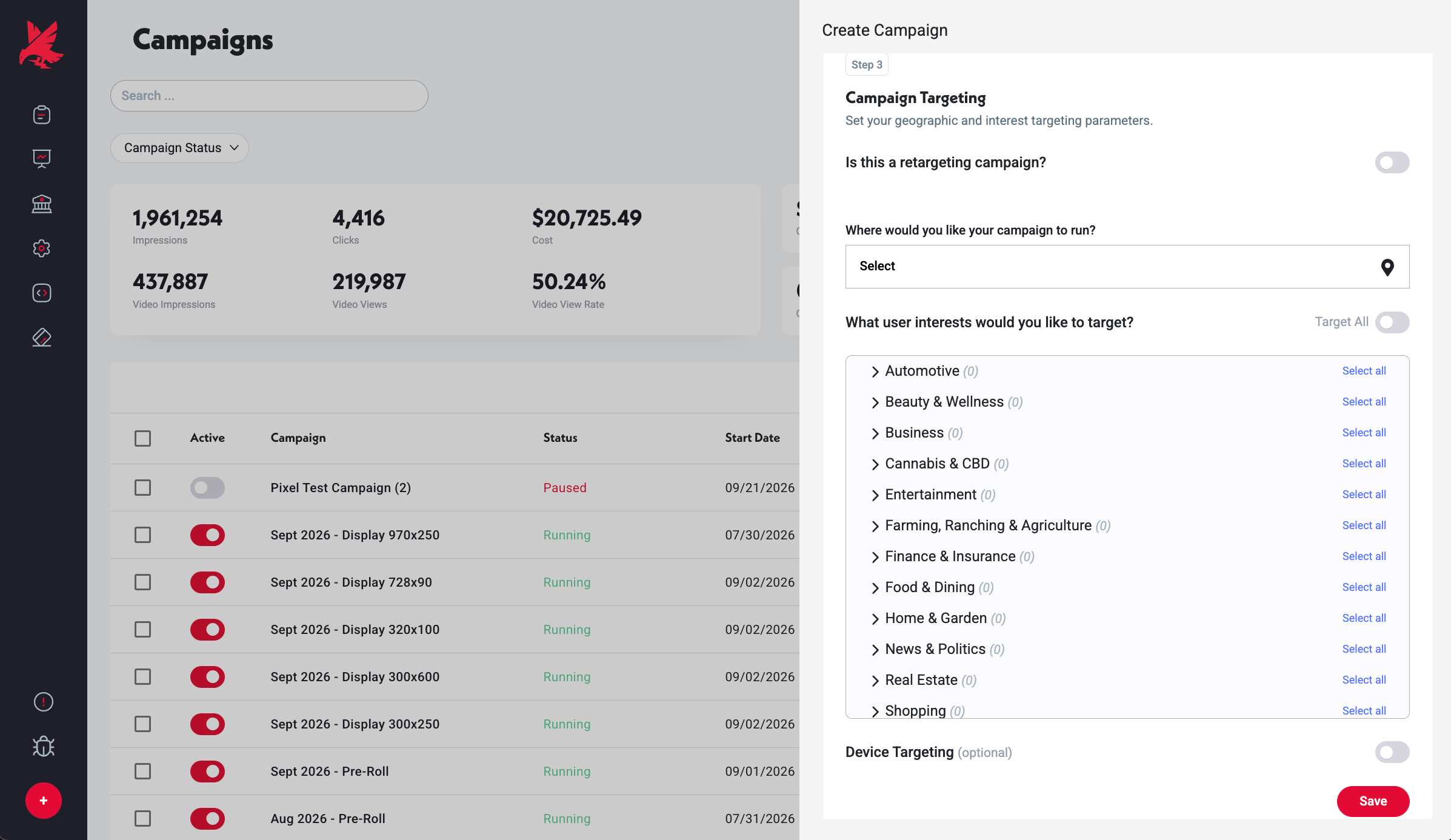
- 1In the campaign editor, go to the Targeting step.
- 2Under Interest Targeting, browse or search available categories.
- 3Select the categories most relevant to your audience.
- 4Leave all unselected to run Run-of-Network.
Common Mistakes
- 1Selecting too many narrow interest categories simultaneously — each category you add further restricts the eligible audience pool. Combining five narrow categories (e.g. luxury travel + high-end automotive + fine dining + private aviation + premium real estate) can leave too little inventory to deliver meaningful impressions. Start with one or two broad categories and narrow from there once you have delivery data.
- 2Expecting interest targeting to work like keyword targeting — interest categories describe user behavioral segments, not intent signals at a specific moment. A user in the 'Sports' category is not actively searching for a sports product right now — they've shown past interest. Interest targeting improves relevance but is not the same as search intent.
- 3Assuming you can't change interest targeting mid-campaign — you can. Edit the campaign, go to the Targeting step, and update your interest selection. Changes take effect on future delivery.
Was this helpful?