
Destination URLs & Macros
Add UTM parameters and Topple macros to your ad destination URLs to track click-level data in your analytics platform.
Last updated September 1, 2026
UTM Parameters
UTM parameters are tags you add to a destination URL so your analytics platform (Google Analytics, for example) can identify which source, medium, and campaign drove a visit. We recommend adding UTM parameters to every ad destination URL so you can tie Topple traffic back to specific campaigns in your analytics reports. Google Analytics offers a free Campaign URL Builder tool that generates a properly formatted URL with UTM parameters.
Topple Macros
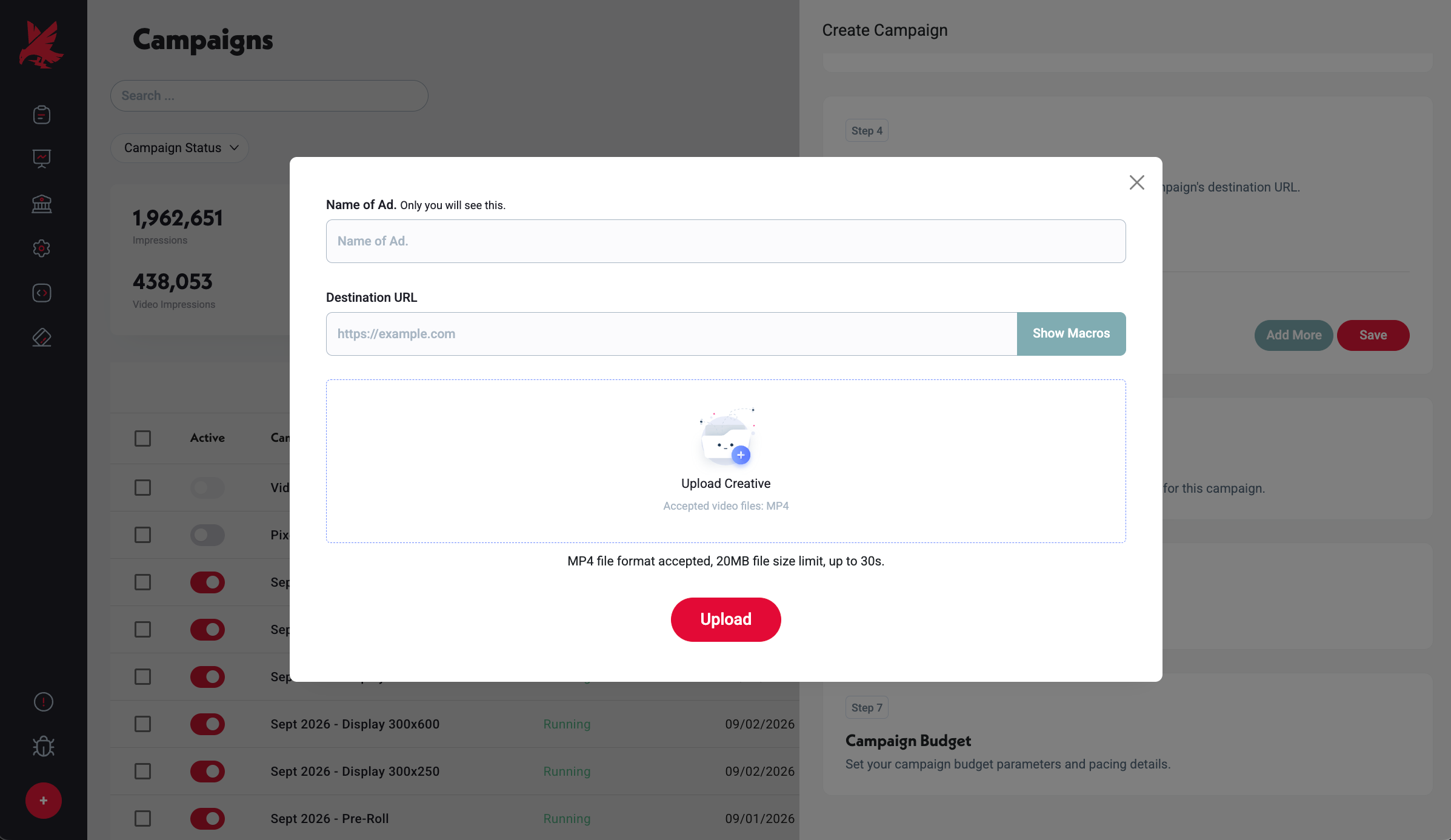
Topple supports macros in destination URLs. Macros are placeholders that Topple replaces with real click-level data when an ad is clicked — information like campaign ID or placement. This lets your analytics platform receive granular data without you having to manually update URLs. Macro syntax: [macro syntax to be confirmed — contact support for the current macro list before implementing in production campaigns].
The exact macro syntax supported by Topple should be confirmed with the support team before implementing in live campaigns. Use the contact link below to request the current macro reference.
Common Mistakes
- 1Broken destination URL — a creative with a destination URL that returns an error or doesn't load will not serve. Always paste the URL into a browser and confirm it loads before saving. A broken destination URL is one of the most common reasons a creative stops serving.
- 2Missing UTM parameters — without UTM tags, Topple traffic shows up as direct or unattributed in your analytics platform. Add at minimum utm_source, utm_medium, and utm_campaign to every destination URL.
- 3Using a redirect chain as the destination URL — long redirect chains can cause the landing page to load slowly, which affects conversion rates. Link directly to the final destination page where possible.
Was this helpful?