
Managing Your Ad Spend Plan
How to view, compare, and change your Ad Spend Plan tier from your Topple dashboard.
Last updated September 24, 2026
What an Ad Spend Plan Is
An Ad Spend Plan is Topple's 5-tier subscription system. Your tier determines your bid floor — the minimum price per impression before any discount — and what features are unlocked. Ad Spend Plans are managed from the 'Manage Ad Spend Plan' item in your dashboard navigation, not the Billing section.
The Five Tiers
- 1Self-Serve — starts at $20/month, $1.00 bid floor, 0% discount, pay-as-you-go, no commitment, retargeting not included.
- 2Essential — starts at $1,000/month, $0.95 bid floor, 5% discount, retargeting included.
- 3Growth — starts at $2,500/month, $0.90 bid floor, 10% discount, retargeting included.
- 4Scale — starts at $5,000/month, $0.85 bid floor, 15% discount, retargeting included.
- 5Advanced — starts at $10,000/month, $0.80 bid floor, 20% discount, retargeting included, includes dedicated human support and priority API access.
Commitment & Billing
Paid tiers (Essential through Advanced) require a minimum one-year commitment. You choose between two billing options: Pay Monthly or Pay Upfront (Commit Annually, marked Best Value). Self-Serve has no minimum commitment.
What Your Subscription Fee Covers
100% of your subscription fee is applied to your account as advertising credits. Unused credits roll forward for 90 days.
Custom Plans
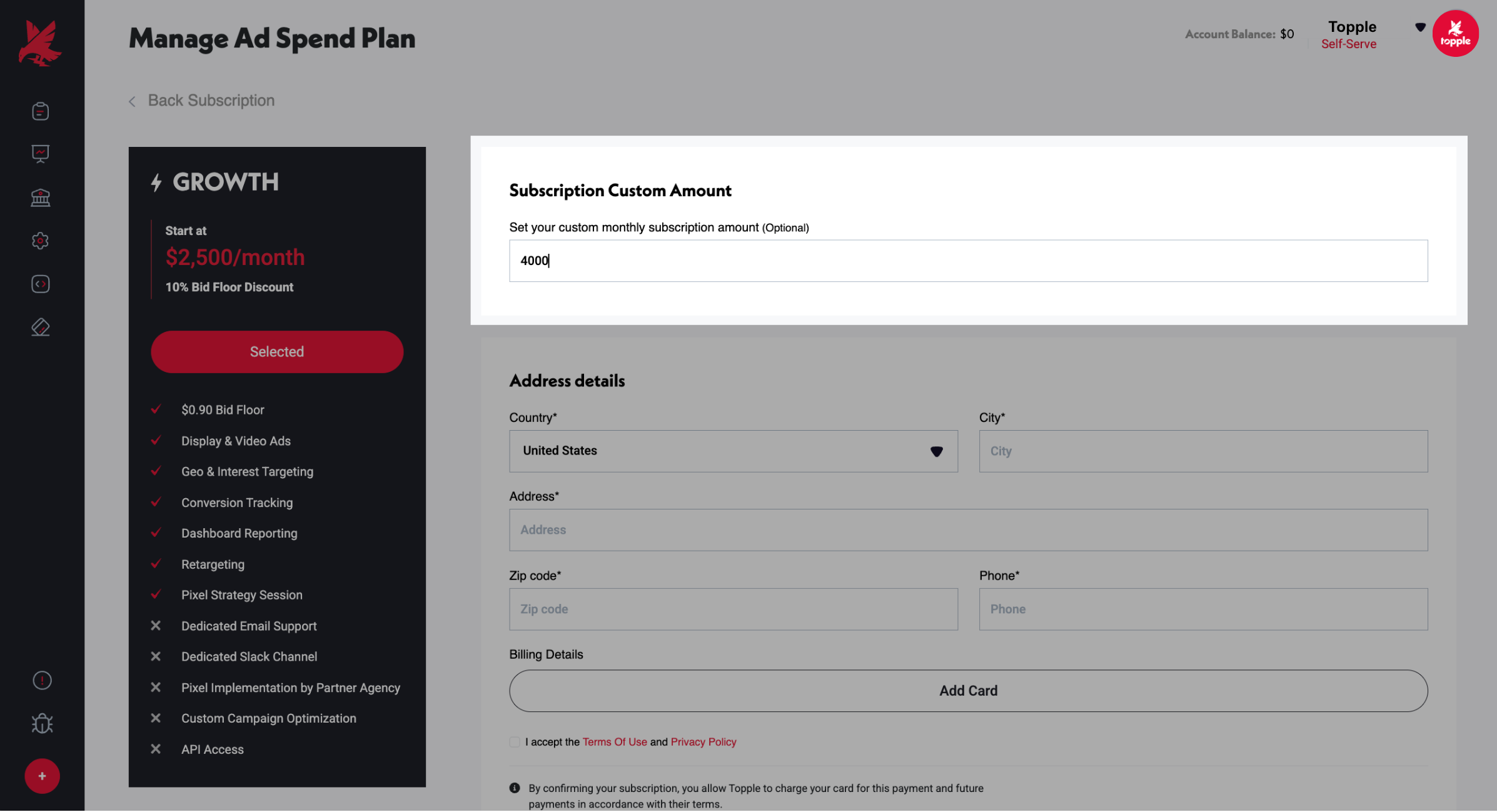
Custom plans are only available through the Managed Service program, which requires a minimum monthly spend of $10,000. Contact the Topple team to learn more. If you just want to subscribe at a custom monthly amount within a standard tier, no Managed Service is required — see How to Set a Custom Ad Spend Plan Amount.
How to Change Your Plan
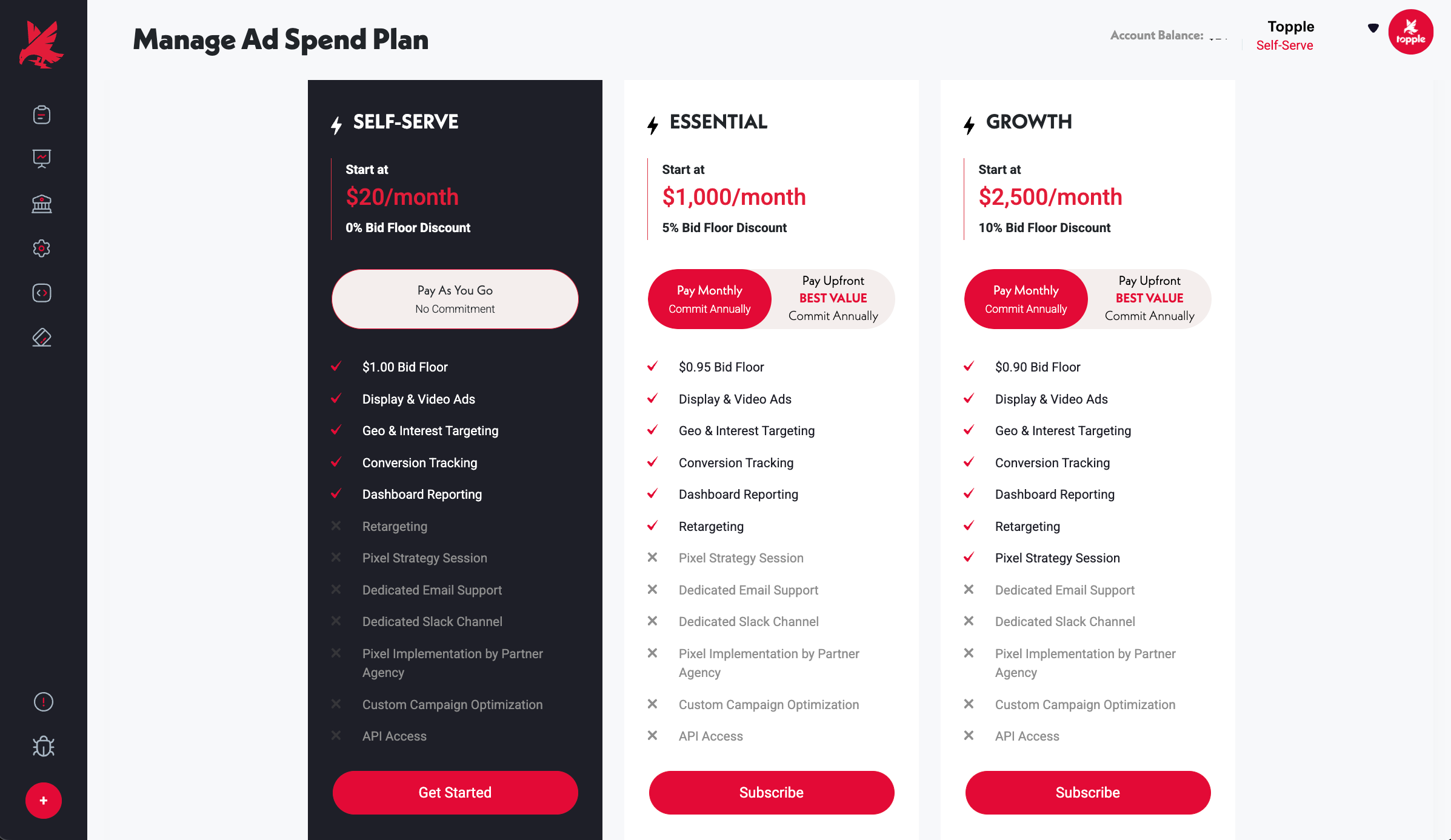
- 1Open 'Manage Ad Spend Plan' from your dashboard navigation.
- 2Review your current Account Tier and renewal date.
- 3Compare the available tiers.
- 4Select a tier and choose Pay Monthly or Pay Upfront.
Was this helpful?